
Most people who want to sell a course online ask the same question early on: “Do I really need a plugin, or can I just build it myself?”
It sounds like a simple choice. But it is not. A plugin can save you months. Building from scratch can give you total control. The right answer depends on your skills, your budget, your timeline, and what kind of course business you want to run in three years.
In this post, I will compare Tutor LMS with starting fresh, which means building your own course system on WordPress without a dedicated LMS plugin. I will not just list pros and cons. Instead, I will show you the hidden work behind each option, a realistic cost view, and a simple test you can run before you decide.
By the end, you should know which path fits your situation.
First, What Does “Starting Fresh” Really Mean?
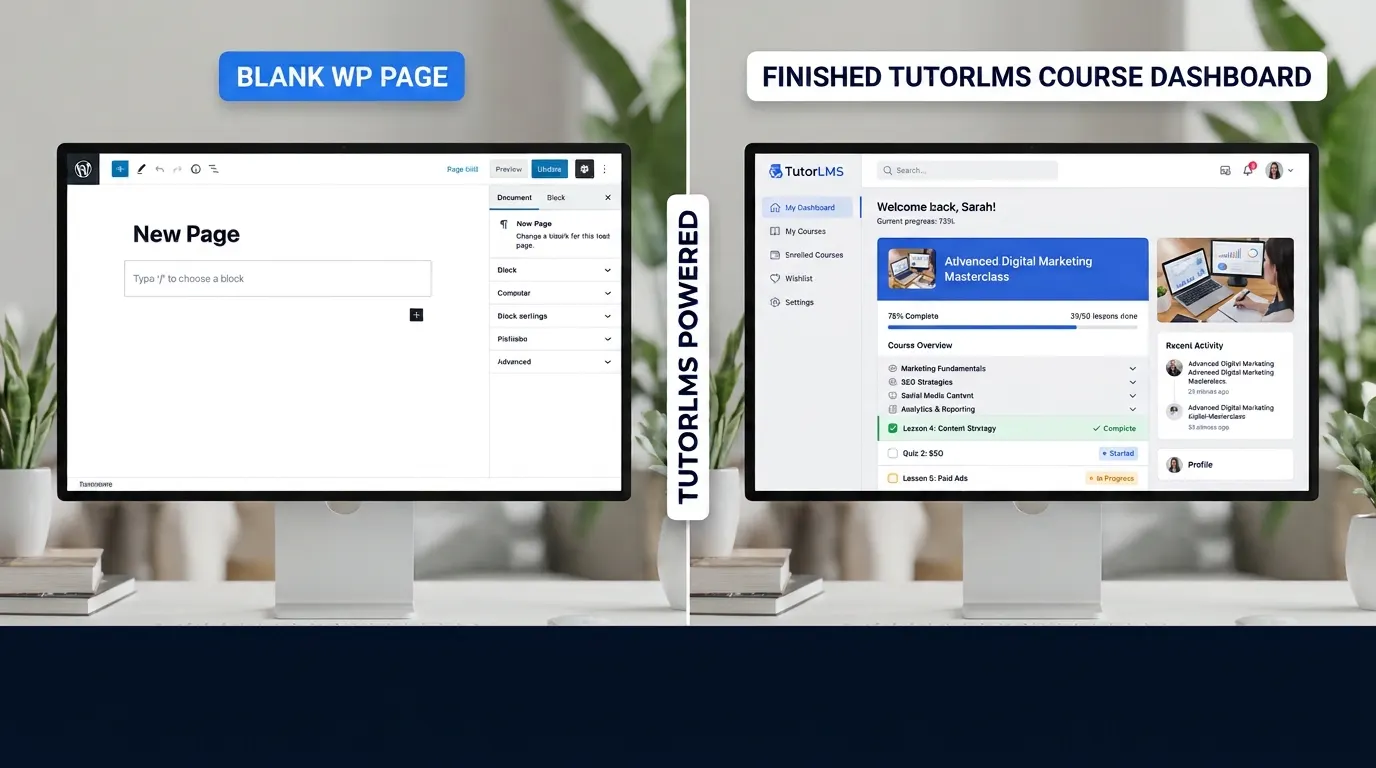
“Starting fresh” can mean different things, so let’s define it clearly. In this post, it means building your course system without a specialized LMS plugin. There are three common ways people do this.
Path 1: The Page Builder Course
You create each lesson as a normal WordPress page using a page builder like Elementor. You add headings, videos, and download buttons. You use a separate tool for payments and password-protect the pages.
This works for a handful of lessons. It gets messy fast when you have 40 lessons, five courses, and a few hundred students.
Path 2: The Store Plus Membership Approach
You sell a course as a product in WooCommerce and use a membership or access plugin to lock content. Lessons are still often built by hand, and progress tracking may be missing or limited.
This is flexible, but you are now managing two or three plugins that need to work together.
Path 3: The Custom Build
You or a developer write custom code for courses, lessons, progress, quizzes, and access. This gives you full control. It also takes the most time, and you own every bug.
Each path has a place. But for most people who ask this question, Path 2 or Path 3 is where the real work hides.
The Hidden Work Behind a Course Platform
Here is what many beginners do not see before they start. A course platform is not just a page with a video. It has to handle many small jobs at the same time.
Below is a checklist of common course features. The second column shows what you would need to think about if you build it yourself.
| Feature | What it does for students | What you must handle if you build it yourself |
|---|---|---|
| Course and lesson structure | Organizes content into sections | Custom post types, templates, navigation, and next/previous links |
| Progress tracking | Shows which lessons are done | Saving progress per user, updating it on every click, and showing it on a dashboard |
| Quizzes | Tests what students learned | Question storage, scoring, retakes, pass rules, and results pages |
| Content drip | Releases lessons on a schedule | Date logic, timezone issues, and access rules for each lesson |
| Prerequisites | Blocks course B until course A is done | Checking completion before showing access |
| Course bundles | Sells several courses together | Access rights across multiple products |
| Payments | Takes money and gives access | Payment webhooks, refunds, failed payments, and access revoking |
| Certificates | Gives proof of completion | Design templates, unique IDs, and a verification page |
| Student dashboard | Shows enrolled courses and progress | Login, access control, and a clean layout on mobile |
| Email notifications | Sends welcome emails and reminders | Triggers, templates, and deliverability |
| Live classes | Runs sessions through Zoom or Meet | API connections and scheduling |
Look at that table again. Every row is a feature you would need to build, test, and maintain. Some are simple. Others, like payments and access control, are where costly mistakes happen. A student who pays and cannot get in is the fastest way to lose trust.
Tutor LMS includes most of these features in its paid plans. Its pricing page lists course drip, prerequisites, bundles, quizzes, certificates, payment gateways, and student dashboards as part of the product. You are buying the work already done.
Cost Comparison: Money, Time, and Risk
Let’s look at costs in a more honest way. The table below uses estimates, not exact quotes. Your numbers will differ based on your skills and location.
The Plugin Path
- Tutor LMS: Free core. Paid Individual plan from $199 per year at regular price, or $499 as a lifetime purchase. Sale prices appear on the pricing page from time to time.
- Time to set up: Often a few days for a first course, depending on how much content you already have.
- Ongoing work: Updates, testing after WordPress updates, and support when something breaks.
The Starting Fresh Path
- Plugins or tools: You may still pay for some tools, such as a membership plugin, a quiz tool, or a certificate tool.
- Development time: If you build it yourself, the hours can add up quickly. A basic course system with progress, quizzes, and access control can take many focused weeks for a beginner. Even an experienced developer may need a lot of time to make it reliable.
- Developer cost: If you hire someone, the cost depends on their rate and the scope. Ask for a written list of features before you agree to a price.
- Ongoing work: You own all the bugs. A small change in WordPress or your theme can break your custom code.
A Simple Way to Think About It
Ask yourself this question: “What is one hour of my time worth, and how many hours will this take?”
If building a basic system costs you 100 hours, and you could spend those hours writing courses or finding students, the plugin often pays for itself. This is true even if you pay for a higher tier.
If you enjoy coding and have a clear, unusual need, building yourself may still make sense.
The Risk Factor
Cost is not only about money. A custom system carries risk:
- Payment errors: A bug can give free access or block paid access.
- Security issues: Login and access code must be secure.
- Updates: A WordPress update may break a custom function.
- Lost knowledge: If the only developer leaves, you may struggle to fix the system.
A tested plugin reduces these risks, although no plugin removes them completely.
Speed to Your First Sale
Speed matters. Every week you spend building a system is a week without income or feedback from students.
With Tutor LMS
A realistic path for a beginner looks like this:
- Install WordPress and the free Tutor LMS core.
- Build one short course with two or three sections.
- Test a purchase in test mode.
- Publish and share with your first students.
For someone who already has a WordPress site, this can be done in a focused weekend or two, depending on how much content is ready.
Starting Fresh
The first version may take weeks to get working, and you may need extra time for fixes after launch. Many people spend most of their time on the system and very little on the course itself.
The main point: A plugin helps you test your idea quickly. Testing fast is often more valuable than building perfectly.
Control and Ownership: Where Each Path Wins
Some people choose a custom build because they want control. That is a valid reason. Let’s be fair to both sides.
Where Tutor LMS Gives You Control
- You own your website. Your course content lives in your WordPress site, not on a hosted platform.
- No revenue cut from Tutor LMS. The company states it does not take a percentage of your course revenue. Payment gateway fees still apply.
- Choice of payment gateways. The Pro plan supports options such as Stripe, PayPal, Mollie, Razorpay, and others. Check which ones work in your country.
- Migration options. The company offers a free migration tool for moving from LearnDash, LearnPress, and LifterLMS.
Where Tutor LMS Limits You
- You follow the plugin’s structure. Some layouts, workflows, and course rules are set by the plugin. You can change the look with CSS and your theme, but you cannot change every core behavior.
- Some features need Pro. Advanced quizzes, certificate design, and bundles are on paid plans.
- You depend on the company’s roadmap. If a feature you need is missing, you may have to wait or find a workaround.
Where Starting Fresh Gives You Control
- Every feature is yours. You decide how progress works, how quizzes score, and how access is granted.
- No plugin fees for the core system. Your costs are mostly hosting, tools, and your time.
- Unique user experience. You can design a course flow that no template offers.
Where Starting Fresh Limits You
- You must build and maintain everything. Each new feature is more work.
- Harder to hire for. Few developers will want to maintain a custom LMS you invented alone.
- Slower to fix problems. You may have to debug code from scratch when something breaks.
My view: For most solo creators and small businesses, the control you get from a plugin is enough. Full custom control is usually a good choice only when your course business is the product itself, or when you have a very specific need that no plugin meets.
Maintenance and Updates: The Part Nobody Talks About
Launch day is the easy part. The long-term work is what decides whether your course business stays healthy.
With a Plugin
- Update Tutor LMS when new versions are released, after testing on a staging site.
- Check your course pages after WordPress or theme updates.
- Contact support when you hit a problem. Paid plans include priority support.
- Watch the release notes for changes that affect your courses.
With a Custom Build
- Test every update to WordPress, your theme, and your custom code.
- Keep backups of your database and files.
- Document how each custom function works, so you or someone else can fix it later.
- Plan for security patches and performance checks.
Even with a plugin, you still need a backup plan. But with a custom build, the maintenance workload grows with every feature you add.
When Starting Fresh Makes More Sense
I believe in giving honest advice, so here are cases where building your own setup may be the better choice:
- Your course is a small, simple product. For example, one 45-minute workshop with a single download and no quizzes. A plugin may be more than you need.
- You are a developer who enjoys building. If you want to learn the system and you have time, building it can be a good learning project.
- Your business model is very unusual. For example, a course that unlocks based on a physical product scan or a custom app integration.
- You have a development partner. If you already work with a developer who can maintain the system long term, a custom build may fit.
- You want to avoid any monthly or yearly plugin cost. If you are willing to trade cash for time, a free stack may be your path. Just count your hours honestly.
When Tutor LMS Is the Better Choice
Tutor LMS is usually the right pick when:
- You want to launch your first course this month. Speed to launch matters more than perfect control.
- You are not a developer. You can learn the course builder, but you do not want to write code for payments and access.
- You want proven features. Quizzes, drip, bundles, certificates, and live classes are already included.
- You plan to grow. When you have ten courses and hundreds of students, you will be glad the system handles access, bundles, and reports.
- You run more than one site. The Business plan covers up to 10 sites, and the Agency plan covers unlimited sites.
- You want a refund option. The paid plans include a 30-day money-back guarantee, which lowers the risk of trying a paid tier.
A Hybrid Option: Tutor LMS Plus Your Own Custom Code
There is a third path many people miss. You can use Tutor LMS for the core system, then add your own code for the parts that make your course unique.
This is a good fit if you already run a child theme on WordPress, as many developers and bloggers do.
Here are some safe ways to customize:
- Custom CSS and layout. Change the course page design through your child theme’s stylesheet.
- Custom template files. Override specific course templates in your child theme, when the plugin allows it.
- Small add-on functions. Add a function to send a custom message after enrollment, using WordPress hooks.
- Custom landing pages. Build your sales page with a page builder, then link to your Tutor LMS course page.
Tips for a Safe Hybrid Setup
- Always work in a child theme. Never edit the parent theme directly.
- Test every custom change on a staging site first.
- Keep your custom code in one place, so it is easy to find later.
- Document what each custom function does with a short comment.
- Check your code after every Tutor LMS and WordPress update.
With this approach, you avoid rebuilding the core system, but you still get a site that feels like your own.
Try This 30-Day Test Before You Decide
Do not choose based on this post alone. Run a simple test. Here is a plan you can follow.
Week 1: Set Up the Free Core
- Install WordPress on a test site or a staging copy of your site.
- Install the free Tutor LMS core.
- Build one course with two sections and two lessons.
Question to answer: Does the course builder feel simple enough for you?
Week 2: Test Quizzes and Progress
- Add a quiz after each section.
- Complete the course as a test student.
- Check whether progress shows correctly.
Question to answer: Can you explain how the system works to a friend in five minutes?
Week 3: Test Payments in Test Mode
- Upgrade to a paid plan only if you need paid features. You can use the 30-day guarantee for safety.
- Connect a payment gateway, such as Stripe or PayPal, in test mode.
- Buy your own course with a test card.
- Check that access works and that the order appears in your admin.
Question to answer: Does the purchase flow feel smooth and clear?
Week 4: Estimate Your Own Build Time
- Write a list of features you need.
- Estimate how many hours a custom build would take for each feature.
- Compare that with the plugin cost and your time value.
Question to answer: Which path saves you more time and stress over the next year?
If the test shows that the plugin does what you need, you can move forward with confidence. If you find a unique need that the plugin cannot meet, you can plan a custom or hybrid build with real information.
A Simple Decision Checklist
Answer these questions honestly. Count your “yes” answers.
- Do I want to launch my first course within a month?
- Am I not comfortable writing code for payments and access?
- Do I need quizzes, drip, bundles, or certificates?
- Do I plan to sell more than one course?
- Would I rather spend my time creating content than maintaining software?
- Do I want a 30-day refund option on any paid tool?
- Do I expect to need more than one site over time?
If you answered yes to five or more: Tutor LMS is likely a strong fit. If you answered yes to two or fewer, and you enjoy building software: A custom or hybrid build may suit you better. If you are in between: Run the 30-day test above and let the results decide.
Frequently Asked Questions
Can I build a course site without any plugin?
Yes, you can. You can use page builders, WooCommerce, and custom code. But you will need to handle progress, quizzes, access, and payments yourself, which takes significant time.
Is Tutor LMS free to start with?
The core plugin is free. You can build and test courses at no cost. Paid plans add features such as advanced quizzes, certificates, bundles, and AI Studio.
What is the main advantage of using a plugin?
The main advantage is speed and reliability. Core course features are already built and tested, so you can focus on your content and your students.
What is the main disadvantage of a plugin?
You work within the plugin’s structure. Some changes need custom CSS or code, and advanced features may require a paid plan.
Does Tutor LMS take a percentage of my sales?
According to Tutor LMS, it does not take any percentage of your course revenue. Your payment gateway may still charge fees.
Do I need coding skills to use Tutor LMS?
No. The course builder is designed for non-developers. Some customization needs basic CSS or child theme knowledge, but it is optional.
Can I switch from Tutor LMS to a custom build later?
Yes, but plan it carefully. Export your course data and content before you change systems. Test the migration on a staging site first.
Is AI Studio included with Tutor LMS?
AI Studio is part of the paid plans, but it requires your own OpenAI API key. OpenAI usage is billed separately.
Final Verdict
Starting fresh gives you control. Tutor LMS gives you speed, proven features, and a lower risk of costly mistakes. Neither is the right choice for everyone.
For most people who want to sell their first course on WordPress, Tutor LMS is the practical choice. It handles the hard parts, so you can focus on what matters most: creating great content and getting students to finish it.
If your course is unique, your need is very specific, or you enjoy building software, a custom or hybrid path may serve you better.
The smartest step is to test before you decide. Use the free core, build one short course, and let the results guide you.
Start with the Tutor LMS free core or check paid plans here
Related Reading on dotthemes
If you are planning your course site, these guides can help you go further:
- AI tools for course creators: Explore AI tool guides and workflows
- Full guide hub: All WordPress and AI tool tutorials on dotthemes